iPourIt On Tap Display
Your on tap lists are always synced with your iPourIt database. Any time you update a tap, it’s instantly reflected across all integrations: websites, menu lists, Electronic Chalkboards, mobile apps, and more.
Explore the different ways you can share your live on tap list with your guests.
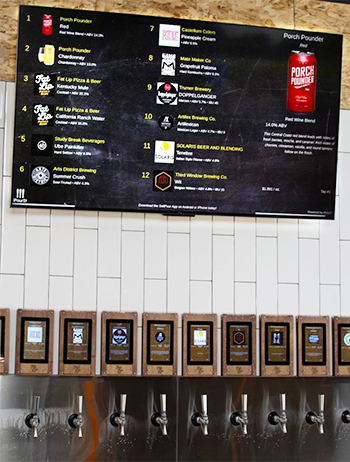
Digital Chalkboard
Display your live tap list on any TV in your venue.
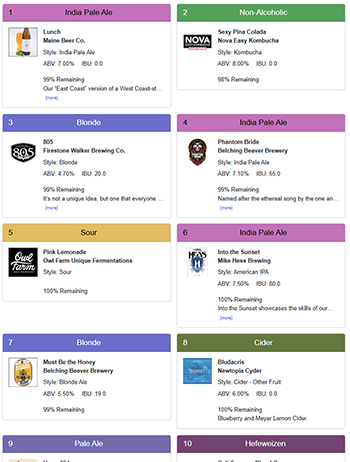
iframe
Embed a tap list directly on your website.

JSON API
Access detailed beverage data through our API.
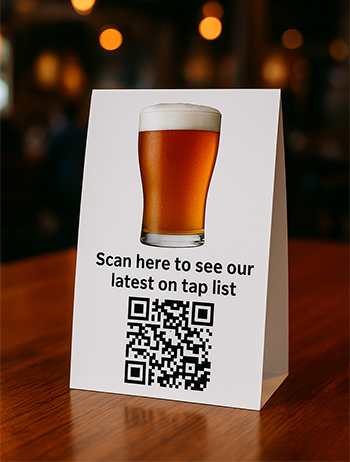
QR Code Menu
Guests scan a QR code to view your live tap list.
Digital Chalkboard
Using a device provided by iPourIt, you can showcase your current tap list on any TV in your location. Configure multiple TVs to display the same taps or different sets (e.g., Screen 1: Taps 1–12, Screen 2: Taps 13–24). You can also include your own promotions such as happy hour specials, upcoming events, or new menu launches.
iframe
Embed your on tap list on your website or app with our customizable iframe. Options include adjusting image sizes, colors, fonts, number of columns, and description lengths. Use our default single-line code or build a tailored layout with our iframe Customizer.
Example layouts:
Contact iPourIt support to get your custom iFrame URL and access to the iframe custommizer.
JSON API
Our API delivers a JSON object containing all tap information, including beverage details, images, style, price, and real-time keg inventory. Developers can integrate this data into apps, websites, or custom dashboards.
QR Code Menu
Provide guests with quick access to your live tap list by printing or displaying a QR code. Add them to table tents, posters, menus, or even display them on the digital chalkboard as an advertisement. Layouts are customizable with our On Tap Menu Customizer.
Example QR Code Menu:
Contact iPourIt support to get your custom QR code and some collateral you can customize for your venue.